


Blog Post
Web analytics

Thorsten
Abrahamczik
published on:

What clients can expect from your agency in web analytics support
Table of Contents
Web analytics—what is it really? For many of our clients, web analytics simply means using a tool that collects data that's hard to interpret and potentially invalid. Navigating it can quickly become overwhelming, which is why the tool is often only opened every few months. Usually, that happens when management wants to see numbers for the website, or when it’s time to justify why next year's planned marketing budget needs to be so high.
But web analytics is so much more than that! It means examining interactions on your website, evaluating the behavior of specific target audiences, creating customer journeys, and much more. Ultimately, all these analyses and findings should come together into an actionable roadmap that helps you optimize your website with precision.
In this article, we'll walk you through what you, as an online marketer, can expect from an agency supporting you in web analytics. We'll share our firsthand experiences and explain how we guide our clients through their web analytics journey.

Fig. 1: Cross-device web analytics | Source: http://bit.ly/2kxlWF4
Phase 1 – Reviewing the Tracking Status Quo
When you approach us as a prospective client to talk about web analytics, we start by explaining what web analytics means to us:
Web analytics is the foundation of all online marketing efforts and forms the backbone of any marketing activity, both online and offline. It gathers both quantitative and qualitative data. When used properly, web analytics explains what happens through customer interactions—and, most importantly, why those interactions happen in the first place. On top of that, where benchmark data is available, it compares your numbers with those of other companies or industry sectors. This highlights exactly where your business has room to improve. Above all else, though, web analytics is an ongoing process.
It's very comprehensive and requires dedicated attention. That said, it's not rocket science either—it can be implemented quite smoothly. To make sure of that, our first step is to review your current tracking setup. This gives us a clear picture of your current analytics status and helps us spot both issues and opportunities.
Reviewing the Configuration of the Web Analytics Tool
First, we dive into your tracking tool to check what data is coming in, how the tool is configured, and whether the data is actually valid. Most of our clients use Google Analytics, which makes the audit straightforward and relatively standardized. Even so, we're always on the lookout for quirks in both the data and the configuration. A few things we check include:
Are filters being used correctly?
Is there spam in the data distorting your reports?
Is Google Analytics linked to other services like AdWords, Search Console, etc.?
Is internal site search data being tracked?
Are demographic reports enabled?
Have goals been properly set up in Google Analytics?
As you can see, there’s plenty to keep in mind just when configuring Google Analytics. Especially if you're still finding your footing as a marketer and aren't entirely sure which setting causes what impact, your metrics can easily end up misrecorded or misinterpreted. A classic example is excluding internal traffic using an IP address filter. When we review filter setups in Google Analytics, this is misconfigured and broken in about 95% of cases. Our colleague Bettina Wille wrote a detailed article covering what to watch out for with filter configurations in Google Analytics.
We also check whether you're using custom reporting. Usually, these live in dashboards, intelligence events, or custom reports, making them fairly easy to review.
Checking the Technical Implementation in the Source Code
Once we know how your Google Analytics is configured, we inspect the implementation in your website's source code. Here, it’s not just about seeing if the tracking code is present, but specifically how it has been integrated. Here are a few examples of what we look for:
Which version of Google Analytics tracking are you currently running?
Has the tracking code been fully implemented according to your Google Analytics configuration?
Are there any pages missing the tracking code?
Are there duplicate tracking code implementations causing data to be double-counted?
Are advanced features like cross-domain tracking or e-commerce tracking implemented properly?
Are other custom tracking features in use, such as custom dimensions, event tracking, etc.?
Are referrers passing correctly, and is direct traffic genuinely direct traffic?
Privacy and Data Protection Check
Finally, we review specific areas to see if your Google Analytics setup complies with data privacy standards. Please keep in mind that we aren't a law firm and can't provide legally binding legal advice. Still, there are several key indicators that can be easily checked, such as:
Are you anonymizing user IP addresses?
Do you have a privacy policy page that clearly discloses the use of Google Analytics?
Can users opt out of tracking, both via a browser add-on and a properly functioning opt-out cookie?
Have you signed a data processing agreement with Google?
Phase 2 – Developing a Tracking Concept
So far in this article, we’ve focused solely on setups using Google Analytics. Naturally, there are other forms of web analytics using additional tools for things like A/B testing, surveys, and more. Those need to be checked as well, though we won't go into detail on each tool here.
Once we have a crystal-clear understanding of your current tracking setup and existing analytics activities, we move on to developing a tracking concept. In this document, we outline your current status quo and define in detail what tracking should look like going forward. Together with you, we also decide what data needs to be collected beyond standard tracking, which website goals to monitor, which KPIs to define, and how everything will be configured. Figure 2 shows an excerpt from the table of contents of a tracking concept:
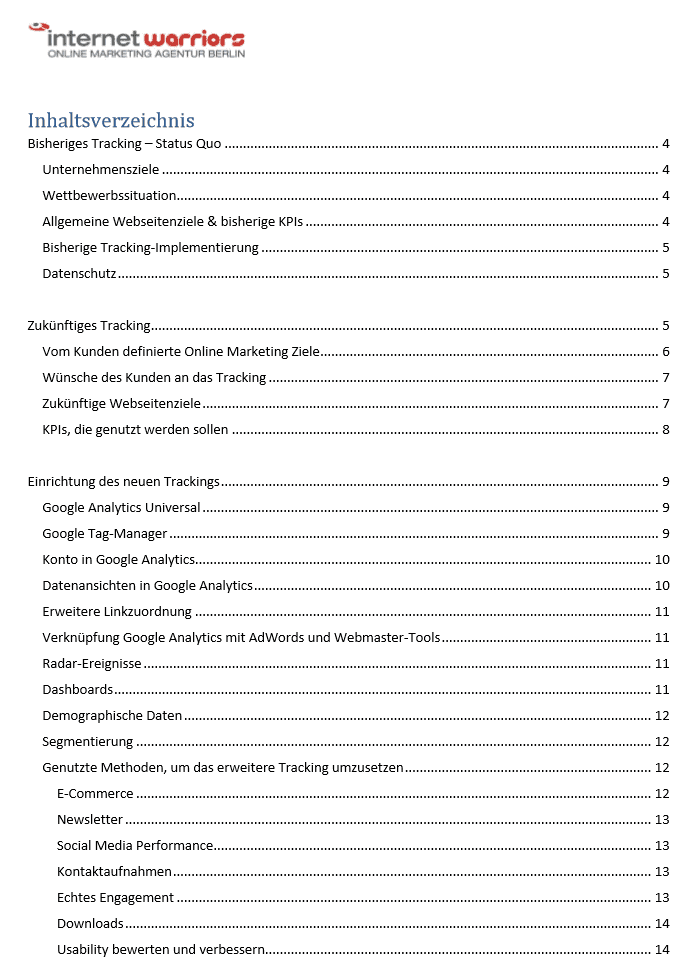
Fig. 2: Together with you, we develop a tailored tracking concept.
Agency Analysis and Research into Tracking Options
To kick things off, we use the status quo audit to identify opportunities for advanced tracking on your website. What matters most to us is collecting data that truly brings you value. Sure, we could recommend a setup where we track literally everything under the sun. But tracking too much data means you'll quickly become overwhelmed and unable to analyze it all because of sheer data overload. That's definitely not our goal. In our view, it takes a balanced approach—one where you can comfortably work with your numbers and get all the insights you actually need for your evaluations.
Aligning Tracking Goals with the Client
For the exact reason mentioned above, we enter into a very close dialogue with you during this phase. This involves multiple conversations with different stakeholders across your company to truly understand what you need from web analytics. Some of the topics we explore together include:
Company goals
Website goals
KPIs currently in use
Existing internal reporting workflows
Organizational hierarchy, including tailored reports for different team members
Third-party integrations and partnerships
The difference between reporting and true web analytics
Your core motivations for using Google Analytics
Defining KPIs and Goals for Web Analytics
These conversations don't just help us understand your requirements—they also give us a much better sense of which analytics topics are most exciting and relevant to you. From there, we can provide targeted recommendations for tracking implementation, key performance indicators, goals, and more. At this stage, you haven't seen our final proposal or draft just yet.
Reviewing and Approving the Draft Concept with the Client
Once we’ve prepared your tracking concept, we set up a dedicated meeting to walk through every detail together. This is especially important because parts of the concept can get quite technical, and it’s essential that you feel completely comfortable with it.
If you'd like any adjustments at this point, we'll talk through them and incorporate them into the concept as needed.
Phase 3 – Implementing the New Tracking Setup
As soon as you’ve approved the tracking concept, we get to work putting it into practice. We always start with the technical implementation before moving on to configuring Google Analytics.
Using the Latest Technologies
Whenever we take on a tracking implementation project, we naturally rely on the latest technologies available. This includes leveraging Google Tag Manager alongside Universal Analytics. If specialized reporting is needed, we also recommend Google Data Studio.
Google Tag Manager
As we've mentioned in earlier articles about Google Tag Manager, handling your entire tag management—whether for Google Analytics, tools like AdWords, or third-party platforms—becomes remarkably easy. A huge benefit of Tag Manager is that your IT team rarely needs to touch the source code once it's in place. Tag updates and management can then be handled directly by marketers within the tool. We've already covered how Google Tag Manager works in another comprehensive article.
Universal Analytics
Universal Analytics is the current standard version of Google Analytics. Its data collection differs slightly from the legacy asynchronous Google Analytics, offering perks like Enhanced Ecommerce, User ID tracking, and more.
Google announced back in 2015 that it will phase out support for asynchronous tracking in the future, though the exact timeline for ending support remains open.
Data Studio and Additional Tools
With Google Data Studio, another powerful tool from the Google 360 Suite has been made available as a free version. Since early February, the tool allows you to create as many reports per email address as you like—the only limitation in the free tier is the lack of the DoubleClick connector. Aside from that, it offers the exact same feature set as the paid 360 Suite version.
A particularly appealing feature for marketers is that reports can be fully customized with your own corporate identity. This is especially handy when presenting reports to executive leadership.
Collaborating with Your IT Team or Provider
Once we begin implementation, usually only minimal source code adjustments are required. The legacy tracking setup remains active for the time being, ensuring your primary data collection isn't disrupted.
For any source code modifications, we provide your internal IT team or external provider with exact specifications on what needs to be changed. Generally, this means embedding the Google Tag Manager container snippet, and often an opt-out cookie script as well. If you run an online store or need dynamic conversion values passed from the site, additional adjustments will be needed for those.
All of your new tracking configurations are then handled by us directly within Google Tag Manager. In other words, we set up the Universal Analytics tag, build variables, triggers, and any other tags needed to meet the requirements of the tracking concept. If we also manage other online marketing channels for you, such as Google AdWords, we implement those in Google Tag Manager at the same time. This keeps everything much simpler to manage down the road.
Throughout the entire process, we work hand-in-hand with you and your IT team to ensure a flawless setup. If any questions pop up on the tech side, we're right there to help. And if we already manage your website or content management system, we'll take care of these adjustments ourselves, of course.
Configuring Your Tools
Shortly after setting up the basics of Universal Analytics in Google Tag Manager, we create a dedicated test property in Google Analytics to validate the incoming data. If we didn't do this, we'd have to send fresh test data straight into your main property, which could skew your numbers and clutter your reporting. We definitely want to avoid that.
Only once we're confident that all data is flowing seamlessly from Google Tag Manager into Google Analytics do we configure the main property in Google Analytics. That's because certain configurations depend on specific tags already being active in Google Tag Manager.
Once the data transmits cleanly from Google Tag Manager and Google Analytics is fully configured, we give your IT team the green light to remove the old tracking code. As soon as that's done, we update the tracking in Google Tag Manager so that data routes straight to your main property instead of the test property. This ensures you keep all your historical Google Analytics data intact and can easily compare past and present metrics. Keep in mind, however, that your historical data may not be entirely accurate.
Setting Up Reports
Part of configuring Google Analytics and Google Data Studio can include setting up tailored reports. These are built directly according to the specifications outlined in your tracking concept.
Training Your Team on the Tools
Once the entire tracking setup is complete, it's important that you understand how it all works and feel comfortable using it on your own. For that reason, we provide a hands-on walkthrough tailored to your team's experience level, covering all the tools involved (Google Tag Manager, Google Analytics, and Google Data Studio). Please note that this is focused specifically on navigating your new setup.
If you or your team have little prior experience with Google Analytics and no background in Google Tag Manager or Google Data Studio, we recommend a more comprehensive web analytics training session. In these workshops, we walk you through the tools as well as the core fundamentals of web analytics. Depending on the depth you need, this typically takes one to two days. Feel free to explore our Google Analytics training offerings to learn more.
Phase 4 – Ongoing Support
To make sure your fresh Google Analytics data doesn't just sit there gathering dust, we provide ongoing support after the implementation is complete. We usually do this in two ways: first, by making sure your data continues to be tracked accurately over time, and second, by diving into deeper, strategic analyses.
Regular Analysis and Reporting by the Agency
This allows you to focus on your day-to-day reporting while we take care of the heavy lifting in web analytics. We hone in on specific, high-impact areas—analyzing the behavior of particular target audiences, evaluating user journeys across key website sections, or setting up custom channel groupings and foundational attribution models. As a next step, we refine these models together with you, giving you clear visibility into how users discover your brand and how to optimize individual channels to reach them even more effectively.
We also provide hands-on support with A/B and multivariate testing.
Because this type of work can be time-consuming yet highly rewarding, many of our clients appreciate having our expertise on tap and are happy to delegate these tasks to us.
Ongoing Troubleshooting and Technical Support
This side of things focuses primarily on technical maintenance. It’s quite common for website updates to accidentally break data tracking—like renaming a button, removing a page component, or completely redesigning a section. Usually, your IT team isn't thinking about tracking implications while building new features. We tend to catch these issues quickly and resolve them in close coordination with you.
How Can We Help You?
Looking to audit your tracking setup, expand it significantly, or simply hand off data analysis to trusted experts? Want to use web analytics to drive targeted website optimizations and boost your leads? Get in touch with us—we’d love to talk about what an ideal collaboration could look like for you.
