


Blog Post
Search Engine Optimization

Axel
Zawierucha
published on:

Video SEO: Creating a Video Sitemap
Table of Contents
Search results have long since included more than just websites—now you'll also see images, products, and of course, videos. However, few website owners realize that search engine optimization isn't just about text content and images. With optimization strategies like a video sitemap, you can actively influence the indexing and ranking of your videos—even for those hosted on YouTube or other video platforms.
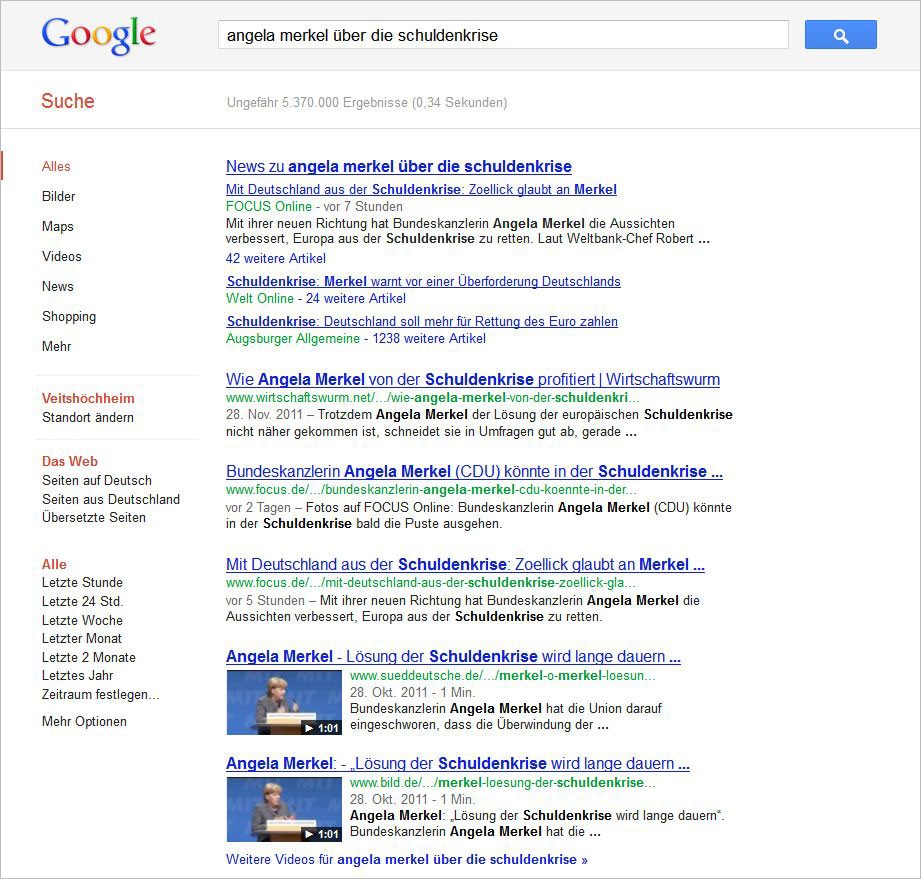
Back in late 2007, Google introduced video sitemaps to help webmasters identify all the video content on their domain and enrich it with metadata. The goal of a video sitemap is to improve indexing and visibility in Google Video Search. Since the rollout of Universal Search, this approach has become especially important. A sitemap makes it easier for search engines to discover your video content. By using schema.org, you can also include structured metadata about each video. Plus, a sitemap helps generate a thumbnail in search results, giving your video significantly more attention.
Technical Requirements: Dealing with iFrames
Before creating your video sitemap, there are a few technical prerequisites to keep in mind. Over on SEOmoz, Justin Hammack outlines the most critical factors. Videos are often embedded using iFrames, which can create challenges when search engines try to index them. To ensure search engines can properly crawl your videos, it's best to use the standard embed format, which is still supported by platforms like YouTube and Vimeo.
Sitemap Formats and Guidelines
Google recognizes XML sitemaps in several formats. However, it's a good idea to build your sitemap based on the standard XML Sitemap protocol, as Bing and Yahoo can read these as well. You can find more details on sitemaps.org.
When creating an XML sitemap, keep these guidelines in mind:
The sitemap can contain up to 50,000 URLs. A dedicated video sitemap must not exceed 50,000 video elements.
In uncompressed format, the sitemap must be under 50 MB. If your XML sitemap is larger, you'll need to split it into multiple smaller sitemaps.
The sitemap URL must be UTF-8 encoded and readable by the web server where it is hosted.
All URLs should follow a consistent syntax and must not include session IDs.
URLs should also be unique across different language versions. Regardless of language, these URLs can all live in a single sitemap—there's no need to create separate sitemaps for each language.
In addition to URLs, sitemaps can include information about various content types, such as images, videos, or mobile content. Depending on the content, you will need to declare the appropriate namespaces in the sitemap.
For general URLs, use: xmlns="https://www.sitemaps.org/schemas/sitemap/0.9"
For videos, use: xmlns:video="https://www.google.com/schemas/sitemap-video/1.1"
Specific tags are used to define the details for your URLs and other content types.
Contents of a Video XML Sitemap
For each video in your XML sitemap, you must include at least the following information so it can appear in search results:
<video:video>: Encloses all information about the video
<video:title>: Title of the video; should match the page's title tag
<video:description>: Description; should match the page's meta description
<loc>: URL of the page where the video is played
<video:thumbnail_loc>: URL of the thumbnail image (a high-resolution image up to 1920x1080 pixels)
URL of the raw video file (<video:content_loc>) or the URL pointing to the player for the video (<video:player_loc>)
The following details are also helpful and recommended:
<video:duration>: Duration of the video in seconds
<video:expiration_date>: Date after which the video is no longer available
You can also use additional optional tags. You'll find a complete overview here in the Webmaster Tools help documentation.
Regardless of the file format, all videos must be accessible via HTTPS. Google can detect and crawl videos in the following formats:
Flash SWF objects
.mpg
.mpeg
.mp4
.mov
.wmv
.asf
.avi
.ra
.ram
.rm
.flv
Please note that meta files requiring resources to be streamed via specialized streaming protocols are not supported.
Submitting Your Video Sitemap in Webmaster Tools
Once you've created your sitemap, it's best to submit it to Google and Bing Webmaster Tools so the search engines are notified right away. After the sitemap is crawled, any potential errors will be reported back to you.
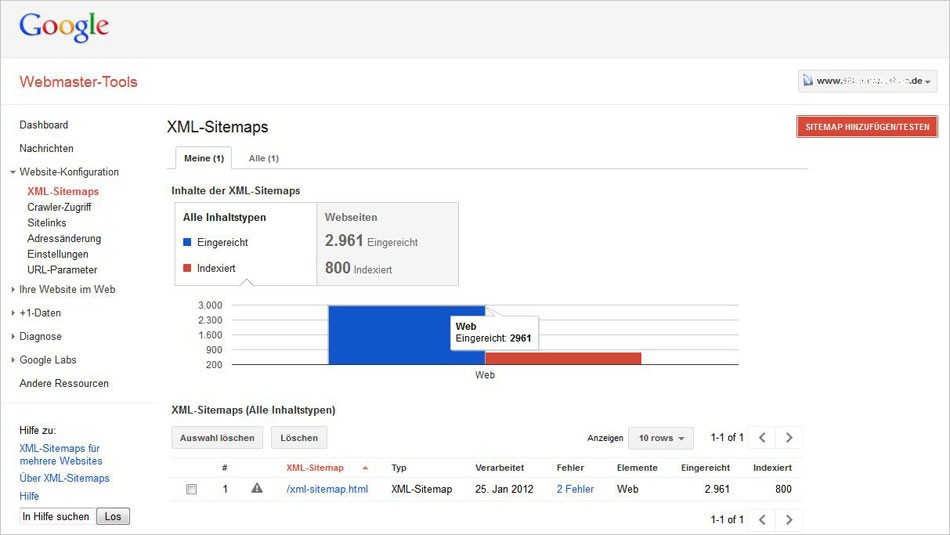
If you have more than one XML sitemap, you don't need to submit them all individually. Simply create an XML sitemap index file and submit that in Webmaster Tools. This index file works just like a standard XML sitemap, but uses the following tags:
<sitemapindex>: The parent tag that encapsulates the entire file.
<sitemap>: Nested under <sitemapindex>, this wraps each individual XML sitemap listed in the index file.
<loc>: Nested under <sitemap>, specifying the location URL of the corresponding XML sitemap.
<lastmod>: An optional tag indicating when the sitemap was last modified.
Over on SEOmoz, Justin Hammack also points out that adding your video sitemap to your robots.txt file never hurts. Need a hand optimizing your videos for search engines? We'd be happy to help you set up an optimized XML sitemap. Feel free to reach out to us!
Axel
Zawierucha
Axel Zawierucha is a successful businessman and an internet expert. He began his career in journalism at some of Germany's leading media companies. As early as the 1990s, Zawierucha recognized the importance of the internet and moved on to become a marketing director at the first digital companies, eventually founding internetwarriors GmbH in 2001. For 20 years – which is an eternity in digital terms! – the WARRIORS have been a top choice in Germany for comprehensive online marketing. Their rallying cry then and now is "We fight for every click and lead!"
